
















































Gemini in Chrome Asia Pacific Rollout: Google Brings AI Browser Assistant to Millions of Users
Gemini in Chrome Asia Pacific Rollout: Google Brings AI Browser Assistant to Millions of Users
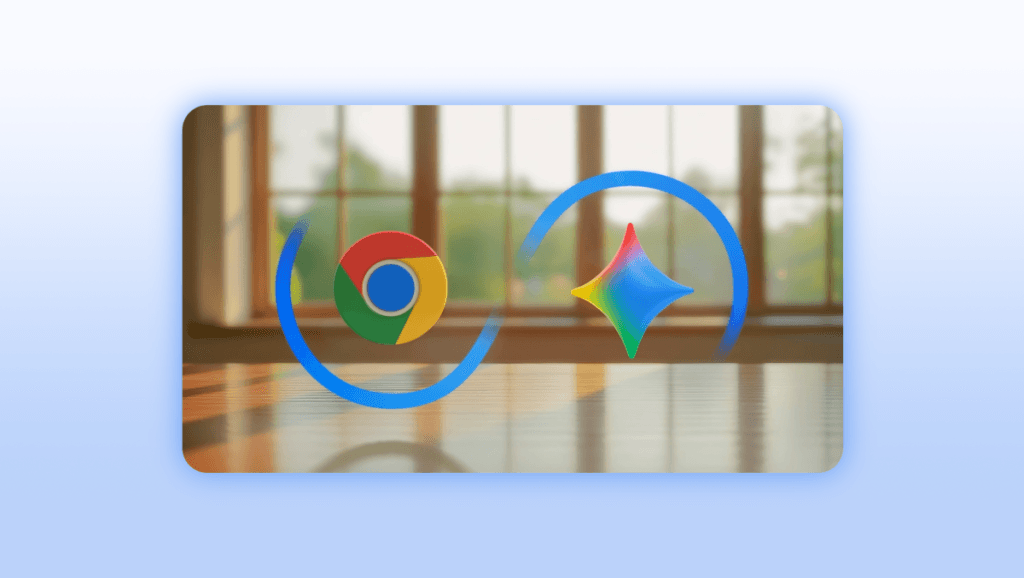
Google has officially expanded Google’s Gemini in Chrome feature to multiple Asia Pacific countries, marking one of the biggest AI browser upgrades of 2026. After earlier launches in the US, Canada, India, and New Zealand, the AI-powered assistant is now rolling out across Australia, Indonesia, Japan, Philippines, Singapore, South Korea, Vietnam, and more regions.
This latest expansion shows Google’s aggressive push to integrate AI directly into everyday browsing. With Gemini now deeply connected to the Chrome browser, users can summarize webpages, compare tabs, write emails, manage schedules, and even transform images without leaving the browser window.
For millions of users across Asia Pacific, this could completely change how people use the internet daily.
What is Gemini in Chrome?
Gemini in Chrome is an AI-powered assistant built directly into the Google Chrome browser. Instead of opening separate AI tools or websites, users can now access Gemini instantly from the Chrome side panel.
The feature works like a smart browser companion that understands what’s currently open on your screen. It can analyze tabs, summarize long articles, compare products, answer questions about YouTube videos, and help complete tasks faster.
Google is positioning Gemini in Chrome as a productivity-focused AI system that blends browsing, research, and automation into one experience.
Gemini in Chrome Features
1. AI Summaries for Long Content
One of the most useful features is webpage summarization. Gemini can quickly read lengthy articles, reports, or blogs and generate short summaries.
This helps users save time while researching or consuming large amounts of information online.
2. Compare Multiple Tabs Instantly
Gemini can analyze information across multiple tabs simultaneously. Users comparing laptops, flights, hotels, or services no longer need to manually switch tabs repeatedly.
The AI can identify differences, pricing, specifications, and key details within seconds.
3. Gmail and Calendar Integration
Google has integrated Gemini with several of its core services, including:
- Gmail
- Google Calendar
- Google Maps
Users can draft emails, schedule meetings, and check locations directly from Chrome using AI commands.
This creates a more connected ecosystem where browsing and productivity tools work together seamlessly.
AI Image Editing with Nano Banana 2
A major highlight of the update is the introduction of Nano Banana 2 capabilities inside Gemini in Chrome.
Users can now transform images directly on webpages using text prompts. This means you can edit visuals, generate variations, or apply creative effects without needing advanced editing software.
Google is clearly expanding Gemini beyond text-based assistance into visual AI capabilities as well.
Personal Intelligence Makes Gemini Smarter
Google also introduced Personal Intelligence, a feature that allows Gemini to remember past conversation context.
This means the AI can provide more personalized responses over time based on browsing habits and previous interactions.
For example, if you frequently research technology, business, or travel topics, Gemini may tailor responses and suggestions accordingly.
This creates a more adaptive and intelligent browsing experience compared to traditional search tools.
How to Access Gemini in Chrome
On desktop devices including:
- Mac
- Windows PCs
- Chromebook Plus
Users can open Gemini from the top-right corner of the Chrome browser.
Google has also added:
- Keyboard shortcuts
- Mac menu bar access
- Windows system tray integration
Users can customize settings by visiting:
Chrome Settings → AI Innovations → Gemini in Chrome
Gemini can appear as:
- A side panel beside webpages
- A floating AI window
This flexible design allows multitasking without interrupting browsing sessions.
Gemini in Chrome on iPhone
Google is also bringing Gemini in Chrome to iOS users. iPhone users can access the feature from the left side of the Chrome address bar.
However, Google confirmed that the iOS rollout is currently unavailable in Japan.
The mobile version is expected to focus heavily on quick AI assistance, summarization, and browsing productivity.
Why Gemini in Chrome Matters
The rollout represents a major shift in how browsers function. Traditionally, browsers only displayed websites. Now, browsers are becoming AI-powered operating systems for the web.
Google is directly competing with:
- AI search engines
- Productivity assistants
- Research tools
- Browser extensions
By integrating Gemini deeply into Chrome, Google gains a huge advantage because Chrome already dominates the global browser market.
This could significantly increase AI adoption among regular users who may never visit standalone AI websites.
Future of AI Browsers
The launch of Gemini in Chrome signals the beginning of a new era where AI becomes part of everyday internet browsing.
Future updates may include:
- Advanced automation workflows
- Real-time research assistance
- Voice-based browsing
- AI-generated presentations
- Smarter shopping comparisons
- Personalized web experiences
Google is rapidly turning Chrome into more than just a browser — it’s becoming an AI productivity platform.
Final Thoughts
The expansion of Gemini in Chrome across Asia Pacific is a major milestone for AI-powered browsing. With features like webpage summaries, Gmail integration, image transformation, and contextual intelligence, Google is redefining how users interact with the web.
As AI becomes more deeply integrated into browsers, users can expect faster workflows, smarter assistance, and a more personalized internet experience.
For Asia Pacific users, the future of browsing has officially arrived.
- AI Fashion Pose Prompt 2026: Single Pose Prompts से Viral Kids Fashion Images कैसे बनाएं
 84 / 100 Powered by Rank Math SEO SEO Score AI Fashion Pose Prompt 2026: Single Pose Prompt से Professional Fashion Images बनाएं AI Image Generation की दुनिया तेजी से… Read more: AI Fashion Pose Prompt 2026: Single Pose Prompts से Viral Kids Fashion Images कैसे बनाएं
 - Import Clearance Manager Recruitment 2026: Sricity में 12–18 Years Experienced Candidates के लिए शानदार अवसर
 83 / 100 Powered by Rank Math SEO SEO Score Introduction अगर आप Supply Chain Management (SCM), EXIM (Import), Customs Clearance और International Logistics में 12–18 वर्षों का अनुभव रखते… Read more: Import Clearance Manager Recruitment 2026: Sricity में 12–18 Years Experienced Candidates के लिए शानदार अवसर
 - 🚇 DRA Infracon CMRL Hiring 2026: I Applied to India’s Most Prestigious Metro Project — Here’s What Nobody Tells You
 84 / 100 Powered by Rank Math SEO SEO Score Why This Hiring Drive Matters More Than You Think I spent three hours analyzing this hiring poster from Dineshchandra R.… Read more: 🚇 DRA Infracon CMRL Hiring 2026: I Applied to India’s Most Prestigious Metro Project — Here’s What Nobody Tells You
 - 🚨 AGM Accountant Job Srinagar 2026: Leading Agribusiness Company83 / 100 Powered by Rank Math SEO SEO Score 📝 Introduction: Srinagar में AGM Accountant की नौकरी — यह मौका हाथ से न जाने दें क्या आप CA Inter… Read more: 🚨 AGM Accountant Job Srinagar 2026: Leading Agribusiness Company
- NHIDCL Invites ₹311.85 Crore EPC Tender for NH-717B Road Widening Project in Sikkim | Complete Tender Details 202683 / 100 Powered by Rank Math SEO SEO Score Introduction The National Highways and Infrastructure Development Corporation Limited (NHIDCL) has invited an open EPC tender for the widening and… Read more: NHIDCL Invites ₹311.85 Crore EPC Tender for NH-717B Road Widening Project in Sikkim | Complete Tender Details 2026
- Muharram AI Photo Editing Prompt 2026: Create Emotional Islamic Festival Images with ChatGPT & Gemini AI
 85 / 100 Powered by Rank Math SEO SEO Score Introduction Muharram AI Photo Editing Prompt 2026 इस समय सोशल मीडिया पर तेजी से ट्रेंड कर रहा है। Muharram इस्लामिक… Read more: Muharram AI Photo Editing Prompt 2026: Create Emotional Islamic Festival Images with ChatGPT & Gemini AI


















Leave a Reply